Agent platforms
Claude · ChatGPT · Grok · Gemini and other MCP/OpenAPI hosts. See install guide.
Start offline with npx. No monorepo clone. No paid cloud for the demo.
Then wire MCP, run a free local console, or use hosted. Tools are keyed by
toolId. Sole PEP: ALLOW / DENY / REQUIRE_APPROVE.
npx @shield-agent/kya@latest --help
Dual plane: tag sessions host=ide (authoring) or host=runtime (production).
Same identity, policy, approval, and trail.
Node 20+. No Java. No Postgres. Zero vertical packs. First see DENY, then REQUIRE_APPROVE, without a paid plane.
# Offline demo (sample evaluate, not production PEP)
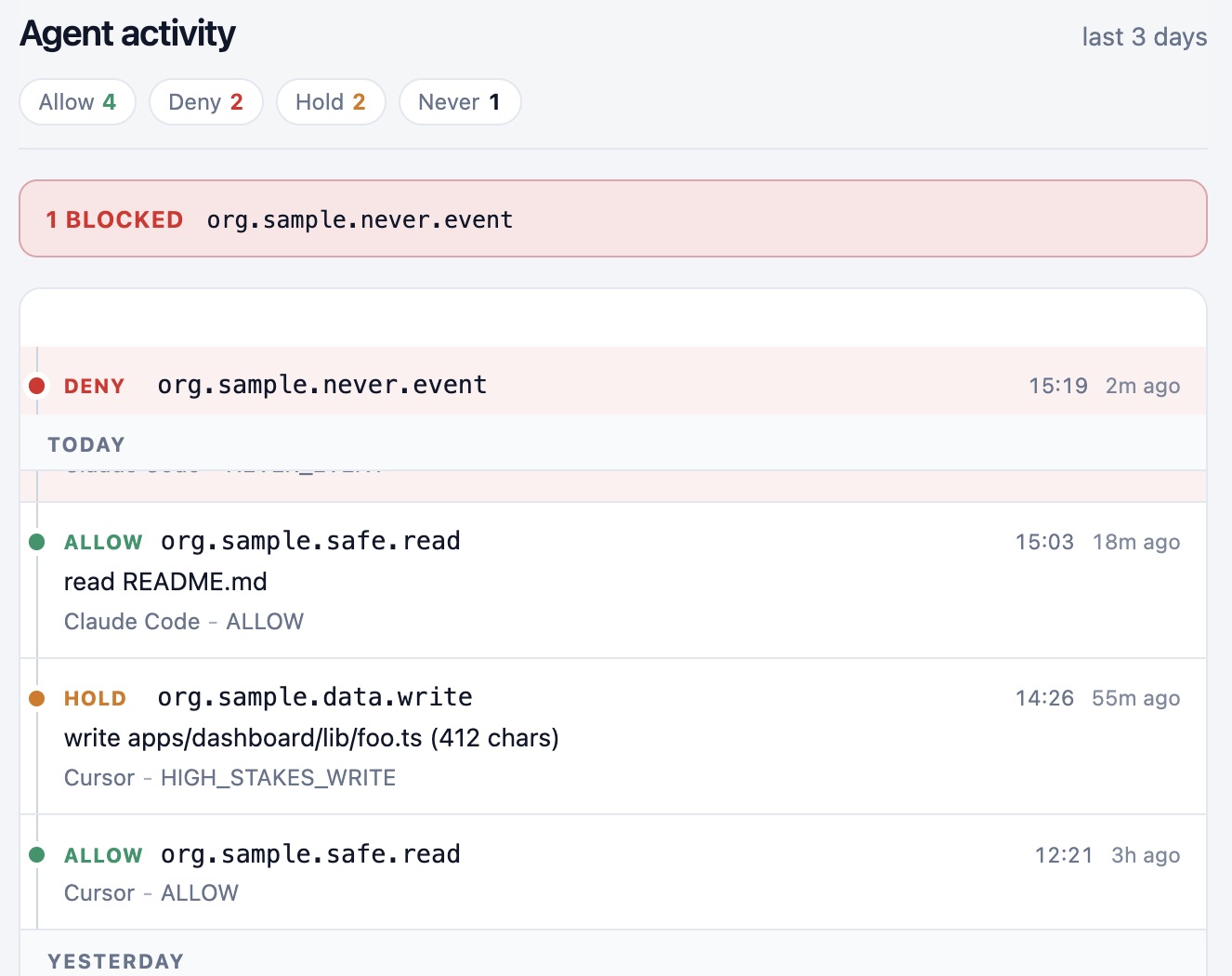
npx @shield-agent/kya@latest eval-tool --offline --tool-id org.sample.never.event --irreversible
# → verdict: DENY
npx @shield-agent/kya@latest eval-tool --offline --tool-id org.sample.data.write --irreversible
# → verdict: REQUIRE_APPROVE
# Scaffold + control plane
npx @shield-agent/kya@latest init
export KYA_BASE_URL=http://127.0.0.1:8090
export KYA_API_KEY=sk_... # when auth is on
npx @shield-agent/kya@latest register-agent --name solo-builder --version-hash dev-local
npx @shield-agent/kya@latest eval-tool --tool-id org.sample.never.event --irreversible
npx @shield-agent/kya@latest serve-mcp --stdio
npx @shield-agent/kya@latest dash --once --offline # free terminal dashboard
What next: add the MCP snippet below with KYA_HOST=ide, or wrap one write
in your code so it calls evaluate before it runs. Then open Approvals and Accept or Reject.
--offline is a sample. A live plane starts when you set
KYA_BASE_URL. The walkthrough is on
How KYA works.
Full guide:
/docs/kya/light-install
· npm @shield-agent/kya
· source The-Pixel-Boys/shield-kya
· fail closed: empty API key against an auth plane exits non-zero (use --offline for local sample).
MCP works on Cursor, Copilot, Claude-class, Codex-class, and custom runtimes. Those names are examples.
{
"mcpServers": {
"shield-kya": {
"command": "npx",
"args": ["-y", "@shield-agent/kya", "serve-mcp", "--stdio"],
"env": {
"KYA_BASE_URL": "http://127.0.0.1:8090",
"KYA_API_KEY": "${KYA_API_KEY}",
"KYA_HOST": "ide"
}
}
}
}
Fallback from source:
npx --yes -p github:The-Pixel-Boys/shield-kya kya serve-mcp --stdio.
Tools: kya.policy_evaluate · kya.session_ingest · kya.request_approval
(request only. It never executes the side effect).
Descriptor: /connectors/mcp.json
· public repo: The-Pixel-Boys/shield-kya
· MCP notes in light install.
Want Approvals UI + Postgres + policy playground on your machine at $0 paid SaaS?
Run the free local stack, then point KYA_BASE_URL at it.
Docker/Podman for Postgres 16; SDKMAN or equivalent for Java 25.
Seeded local login for non-prod. Create an API key under Settings.
npx @shield-agent/kya@latest with
KYA_BASE_URL=http://127.0.0.1:8090.
Multi-tenant density, pin/private registry, ORR board ops, and support. Never required for the day-1 npx path. Hosted extras stay optional.
What next: one shared plane, API keys per team or runtime, laptops on
host=ide, production on host=runtime.
Wrap the writes that matter. Operators live on Approvals, Sessions, and Agents.
Unwrapped tools stay invisible. Location (office or vendor cloud) does not change the rules.
Click install on Claude, ChatGPT, Grok, Gemini, AWS, Azure, or GCP when listings are available. Same MCP, OpenAPI, and OAuth standards. There is no private Shield protocol.
Claude · ChatGPT · Grok · Gemini and other MCP/OpenAPI hosts. See install guide.
AWS · Azure · GCP SaaS contracts when you buy there. Entitlements stay with the cloud.
MCP, OpenAPI, OAuth 2.1 / OIDC, generic webhooks. Any host that speaks those.
Shield KYA evaluates. Scanners and edges write evidence or run after APPROVED. They do not ALLOW a high-stakes tool on their own.
Stable toolId plus metadata. Creating an agent is kya.agent.register. Vertical packs are optional.
Principals, evaluates, approvals, orphans. We do not sell quality or speed scores.