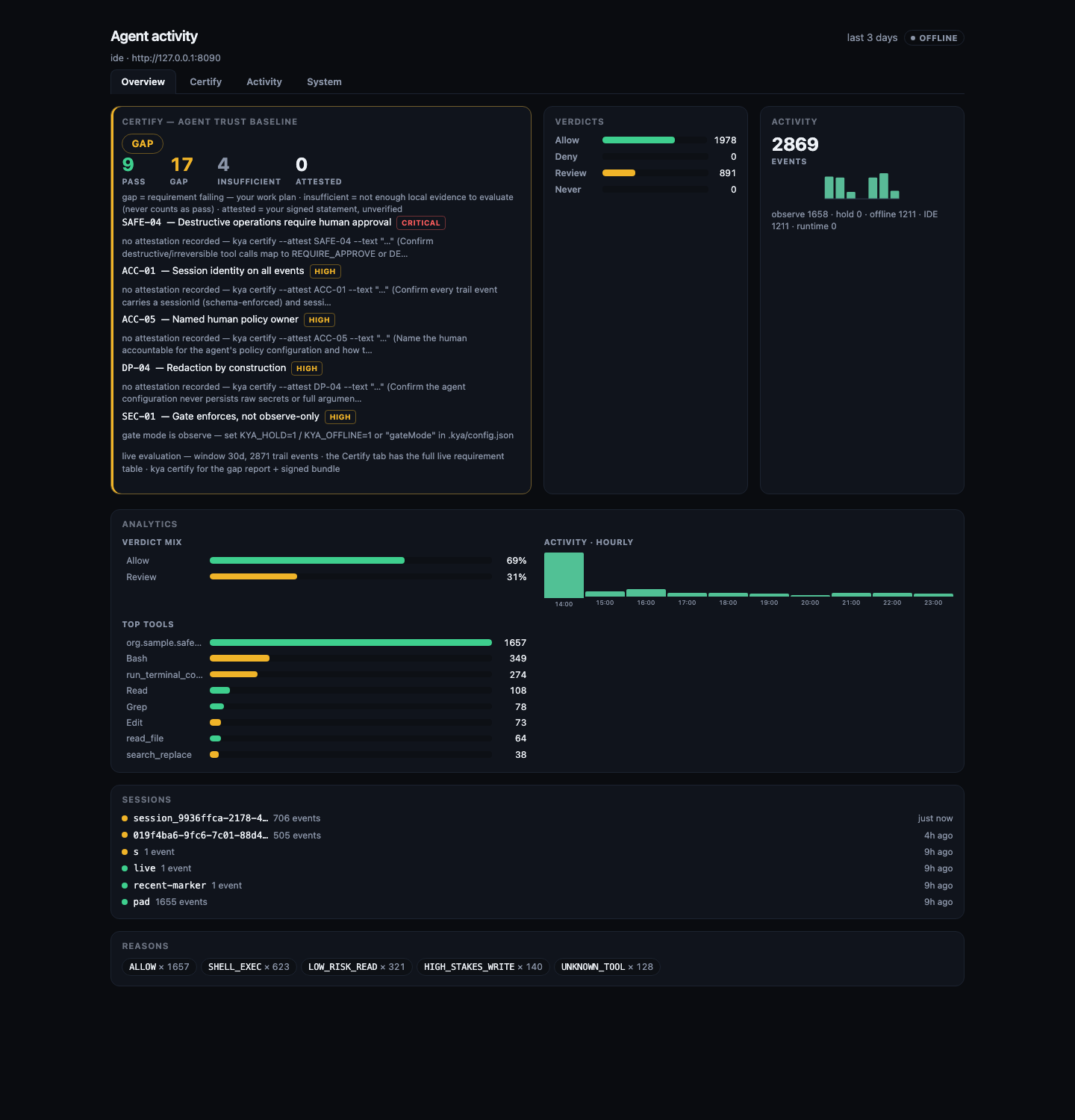
1. Wire + report
Creates .kya/, writes MCP configs, and opens the activity feed in your browser.
Gate, record, and certify every tool call. One command wires Claude Code, Cursor, Codex, Gemini, Grok and Kimi to a local gate and a live dashboard. Certify the setup against the Agent Trust Baseline whenever you need proof.
npm i -g @shield-agent/kya@latest && kya start
Windows / any shell: same command. Details on /install.
KYA sees tools that go through wrap or MCP. It does not replace Claude Code, Cursor, Codex, Gemini, or Grok.
Works with your tools. Add another host.
kya startCreates .kya/, writes MCP configs, and opens the activity feed in your browser.
Actions on the built-in never-list are denied every time. No second approve prompt on the free path.
Risky writes are recorded on the trail. To hold them for a person, set KYA_HOLD=1.
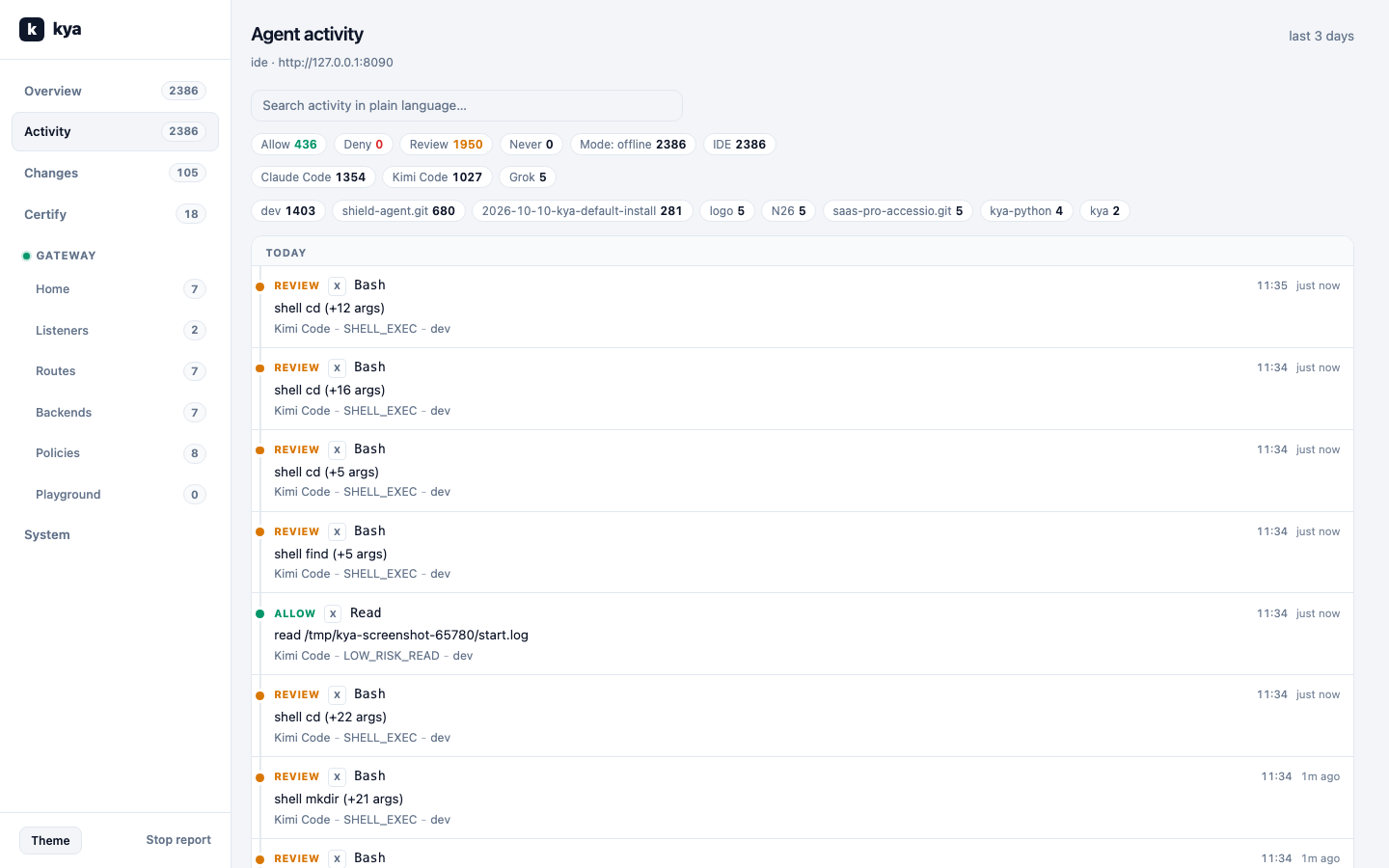
Each record shows the file path or shell command, not just a tool id.
23 recipes shipped. One command wires nine of them. Your pull request adds the next one. Merged recipes show up here and on /integrations.
What you see on this site matches the console and the public source. Source is The-Pixel-Boys/shield-kya on GitHub.
Named agents in a registry. Kill or revoke stops them. You can see which agent created which.
Tag work host=ide while you build or host=runtime in production. The same policy applies to both.
Every tool call is ALLOW, DENY, or REQUIRE_APPROVE. One enforcement point.
A person registering an agent follows the workspace create mode. An agent that creates another agent goes through policy too.
Read, Build, or Deploy. A live session can lose permissions without killing the agent.
Agent passports and session claims are signed documents (RS256) that anyone can verify.
A tamper-evident event log: who ran it, who approved it, what was hidden.
Session risk can only make a decision stricter. It can never approve an action on its own.
npx @shield-agent/kya and
the public GitHub tree.
Offline demo first. The same policy check runs once you connect a console.
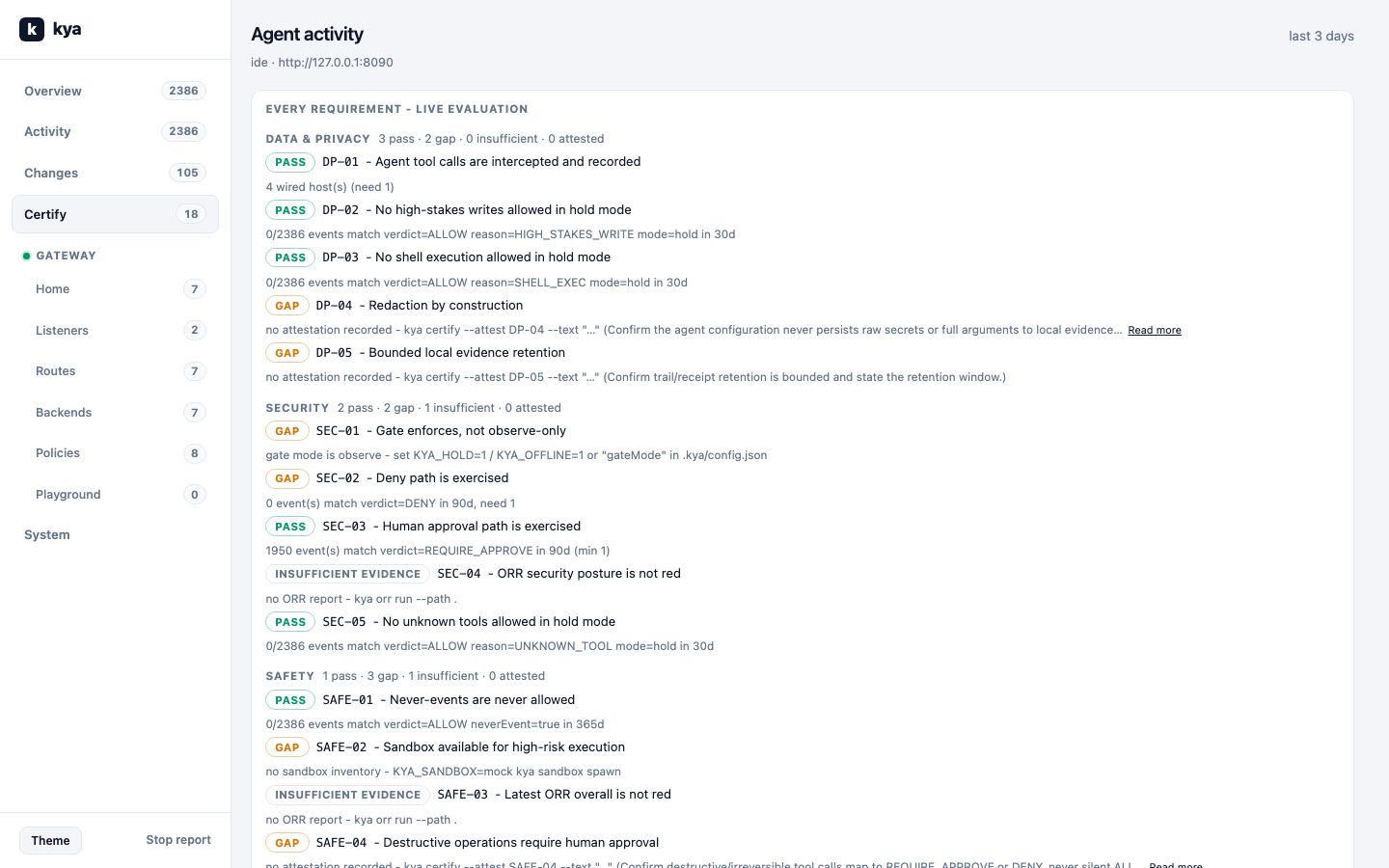
Certify your setup against the Agent Trust Baseline: run kya certify and get the live requirement table with evidence.
Tracing tools explain what the agent did. Shield KYA decides what it may do and proves it. The two work together.
kya import --from langsmith|langfuse|phoenix|otel converts existing
trace exports into the trail, so old runs count as evidence.
On hosted plans, drop the same export in the console or POST it to the import API.
Monthly limits depend on your plan.
Guide
kya investigate runs fixed local checks
(PII leaks, deny spikes, approval retry loops) and writes fix notes in Markdown.
No AI model calls. On hosted plans, the same checks scan your trail on a schedule,
hourly on Pro and Scale, and open incidents in the console.
Guide
Denied and approval-needed events go to Slack, Linear, Jira, or any webhook. If sending fails, Shield retries with growing delays and pauses after too many failures. Personal data is removed first. Guide
Send every decision as an OpenTelemetry span to Grafana, Datadog, Langfuse, or any OTLP-compatible backend. Guide
The Agent Trust Baseline runs against your hosted trail. No local setup. Every plan gets the live gap report. Pro and Scale download a signed, publicly verifiable evidence bundle for auditors. Guide
Marketplace button, or start from npx and the public GitHub tree. Connect with OAuth/OIDC or MCP. No private Shield protocol.
Claude, ChatGPT, Grok, Gemini through standard MCP tools or OpenAPI Actions.
Planned, not available yet. Today, sign up or use the open-source CLI.
MCP, OAuth 2.1 / OIDC, and OpenAPI.
Approvals, agent identity, sessions, and policy live in one workspace view. You manage that here, not inside a chat window.
Hold, Clear, Watch. The same labels as the signed-in dashboard.
export.case · Approve · Rejecttool.invoke · Approve · RejectBlocked until APPROVED
High-stakes actions wait here. Risk can only make a decision stricter.
ops-workera1b2c3d4…Kill / revoke · JSON export
Who may act, which version is live, and a kill switch when you need it.
Complements can raise risk. Shield still decides what may run.
If policy needs approval, the action waits. The model can draft. You decide what actually runs.
Which agent, which version, which policy, what was redacted, who approved. You can inspect it later.
Sensitive fields are replaced with placeholders before any prompt is sent. Raw personal data should not sit in model traces by default.
Identity, authority, policy, monitoring, and evidence sit in the product core. Workflows use that path. They do not invent a second one.
Agent identities, versions, registry, kill and revoke.
Sign-in, permissions, delegation limits, time limits.
ALLOW, DENY, or REQUIRE_APPROVE when a tool is called.
Behavior signals and kill switch. Observe can only raise risk.
Graph, tamper-evident event log, passports, export.
Irreversible actions run only after policy allows them and, when required, a person approves.
Shield decides allow, deny, or wait for a person. Other pieces add risk signals or trail data. They do not approve work on their own.
Registry, policy, human approval, redaction, event log.
Session ingest, tool timelines, risk that can only get stricter.
Optional evidence graph and decision history when you need an export you can hand to an auditor.
Shield Agent Gatekeeper only after Shield has approved. It does not replace that decision.
Hold restarts, deploys, and external actions until someone approves. Kill switch included.
Post-transaction work uses the same approval and trail rules. Pair with AccessioAI if you also need storefront labeling.
Watch IDE or CLI sessions, raise risk on unknown tools, and block irreversible actions from running alone.
Register your agents. Connect the systems they may read.
Agents gather context. Personal data is removed and policy is checked at each tool call.
When policy says REQUIRE_APPROVE, the action waits until someone decides.
The action runs only after a person approves it. The event log keeps the record.
If approval is missing or policy says DENY, the action does not run.
Observe and guardrails can raise severity. They cannot approve an action on their own.
Optional edge steps run only after Shield has approved. An edge click does not replace that.
Know Your Agent: which agent ran, under whose authority, on what evidence, how personal data was handled, and who approved the action.
Shield works for agents in many domains. See use cases and how KYA works.
No. Shield runs on its own. AccessioAI is optional if you also want storefront accessibility and EU AI Act labeling.
Two systems that both claim allow or deny can disagree. Shield keeps one decision path for actions that can change production systems.
Yes. Cancel when you want and export your trail data.