How Know Your Agent works
An agent that can change a real system must ask Shield first. You register the agent, wrap the tool, and get Allow, Hold, or Deny. Hold waits in Approvals until a person Accepts or Rejects.
What you do with it
The package is a checkpoint your agents call before a write, export, deploy, or spawn. It does not scan office Wi-Fi, a VPN, or the public internet for unknown agents. Agents that never call evaluate stay off the desk.
Same four steps on a laptop or in a company:
- Stand up a control plane (local console or hosted).
- Register each agent as a named principal.
- Wrap the tools that write, export, deploy, or spawn another agent so they evaluate first.
- When the verdict is Hold, someone works Approvals. Then the plane authorizes invoke. The agent never gets the secret.
Allow proceeds and is logged. Deny stops the call. The Policy page cards are a dry-run of that question. They are not a company-wide on/off switch.
After a local install
- Run
kya start(init + wire MCP + open the activity report), then restart your editor once. - Call a tool once through the gate. The receipt updates live.
- Optional: point
KYA_BASE_URLat a live plane and open Approvals for Hold.
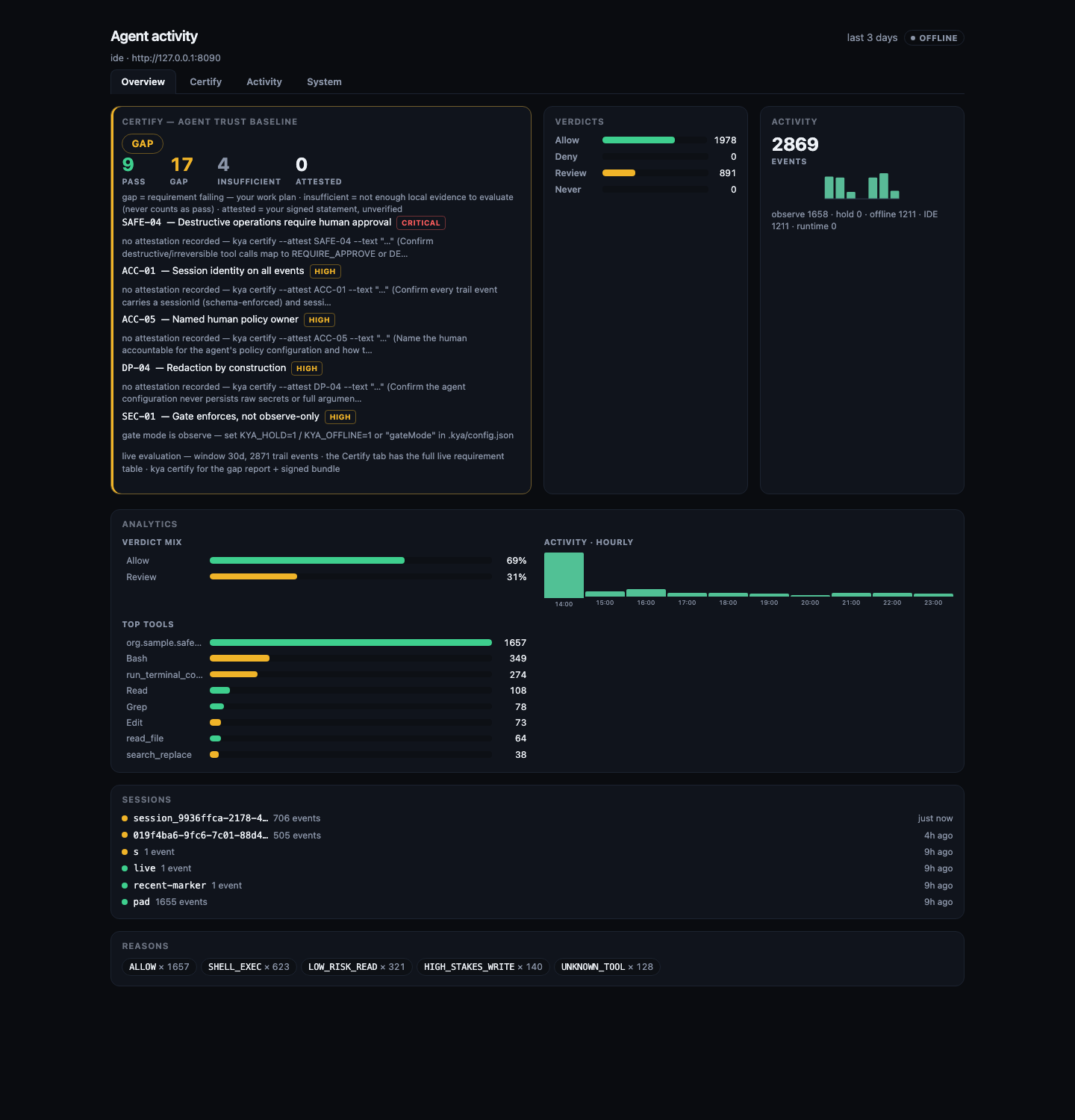
--offline is a sample. It is not the production gate.
Until a real tool calls evaluate, the console looks empty or tutorial-only.
Install commands · Solo free local
After a company install
- One shared plane (hosted or self-host). That is the census and the Approvals queue.
- Issue API keys per team or per runtime. Do not reuse a laptop key in production.
- Tag laptops
host=ideand production botshost=runtime. - Wrap the writes that matter. Unwrapped tools are not governed.
- Operators live on Approvals, Sessions, and Agents. Kill or revoke a named principal. Shrink a live session that should lose Deploy.
Holds that mean something
A Hold is not "Allow assistant to continue?" You see the tool, the agent, pack or work-item scope, and that the write stays blocked until you approve. No logging, no production: evaluate and Hold land on the trail.
What it sees
Location does not matter. Office LAN and a vendor cloud use the same rules. The split that matters is authoring versus production.
Covered: any agent you register that calls evaluate (internal bot, contractor laptop, SaaS runtime, marketplace MCP).
Not covered: agents that never wrap, raw network traffic, personal ChatGPT with no Shield connector, automatic discovery of shadow processes on the LAN. Orphans show only if you already have the principal.
Dual plane
One policy enforcement point for authoring and production:
| Host | Intent |
|---|---|
host=ide | Build, evaluate, observe, dry-run in IDE / CLI |
host=runtime | Production agents serving real work |
Same identity, policy, approval, and trail on both hosts.
Your own tools
- Govern any stable
toolId. You do not need a prebuilt adapter module. - Verdicts: ALLOW, DENY, or REQUIRE_APPROVE.
- Protocol-first install: MCP, OpenAPI / HTTP, generic webhooks.
- Vertical packs are optional accelerators.
Six layers
| Layer | Capability |
|---|---|
| L1 | Agent identity and lifecycle (registry, version hash, kill/revoke) |
| L2 to L3 | Sign-in, authorization, and delegation bounds |
| L4 | Runtime policy: ALLOW, DENY, or REQUIRE_APPROVE |
| L5 | Behavior monitoring and kill switch |
| L6 | Evidence graph, hash-chained event log, export |
Create is a tool
Registering an agent goes through the same policy engine as any other write.
A person can mint a root agent under the workspace mint mode
(allow with a trail, break-glass with a reason, or require approve).
When one agent creates another, that spawn is always evaluated.
Missing APPROVED means no child.
Sessions can shrink
Clearance is what this session may still do: Read, Build, or Deploy. It is not the named-agent census and it is not risk. HIGH risk follows the workspace shrink mode (operator, auto to Build, or require approve). Shrink never kills the agent. Restore is a separate operator action.
Passports are signed
The v1 JSON passport stays for old clients. v2 is a signed claim
(shield-kya-agent-passport-v2 and shield-kya-session-claim-v1)
using the control-plane key. Verify returns valid, expired, revoked, or bad signature.
The claim is a control-plane signature, not a PKI certificate.
Fail closed defaults
- If approval is required and missing, the side effect is denied.
- Policy DENY blocks the action. There is no silent bypass.
- Session risk may only raise severity. It never auto-allows a high-stakes action.
- Personal data is redacted before model calls.
Modules
- Core: registry, policy, approve, redaction, trail.
- Observe: sensor ingest and session risk (optional).
- Audit: graph dual-write for exportable account (optional).
- Edge: optional Gatekeeper only after Shield has approved. Shield still decides policy.
What Shield owns
Identity, policy, human approval, personal data redaction, and the event trail stay here. Domain workflows and vendor connectors do not own approval or the event log.
Public source: The-Pixel-Boys/shield-kya. Same mark as the header.